Tidewater - Unity 6 URP Ocean: Surf, Buoyancy, Wakes, Underwater
An ocean you can see into, sail on, and swim under.
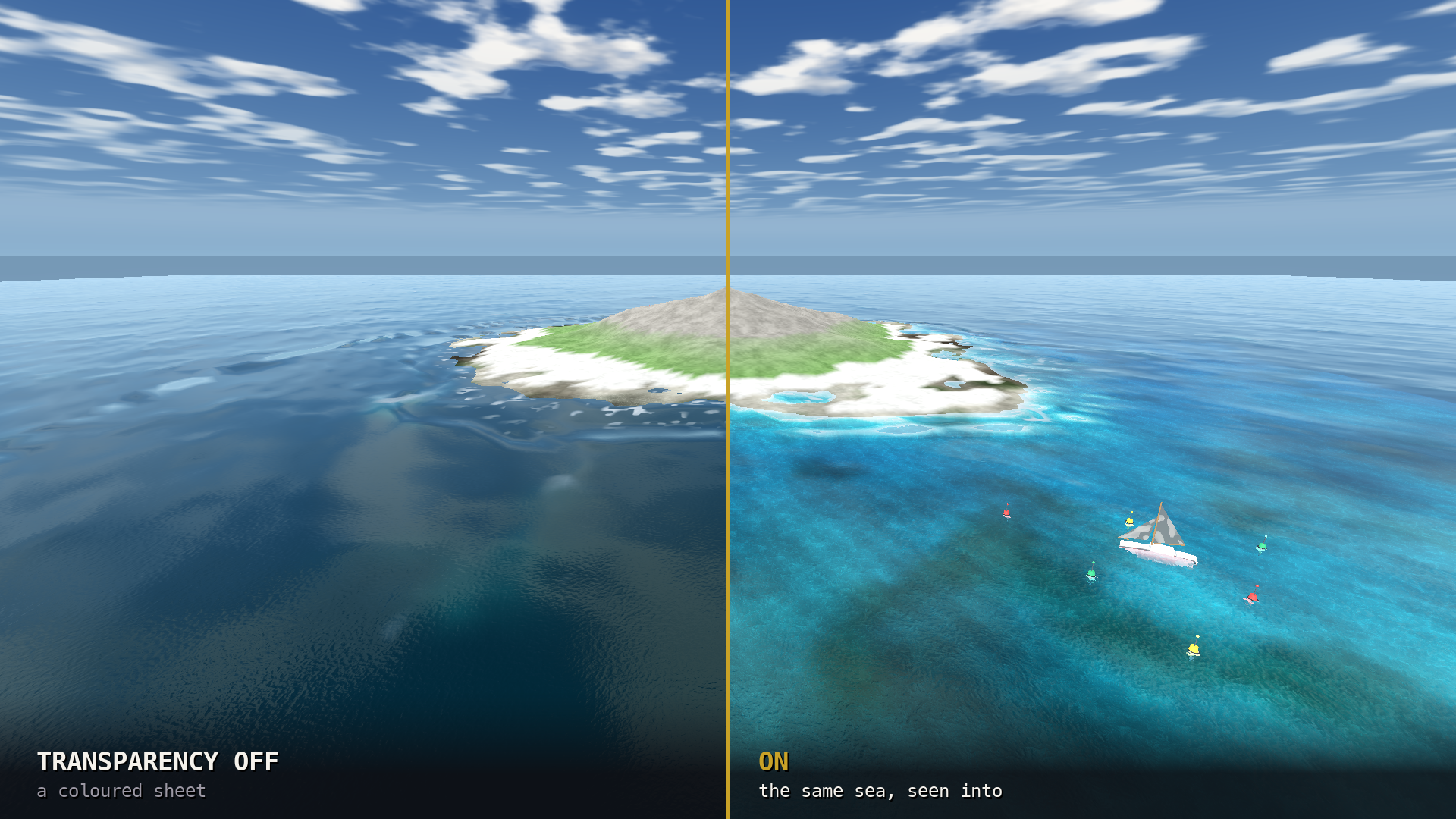
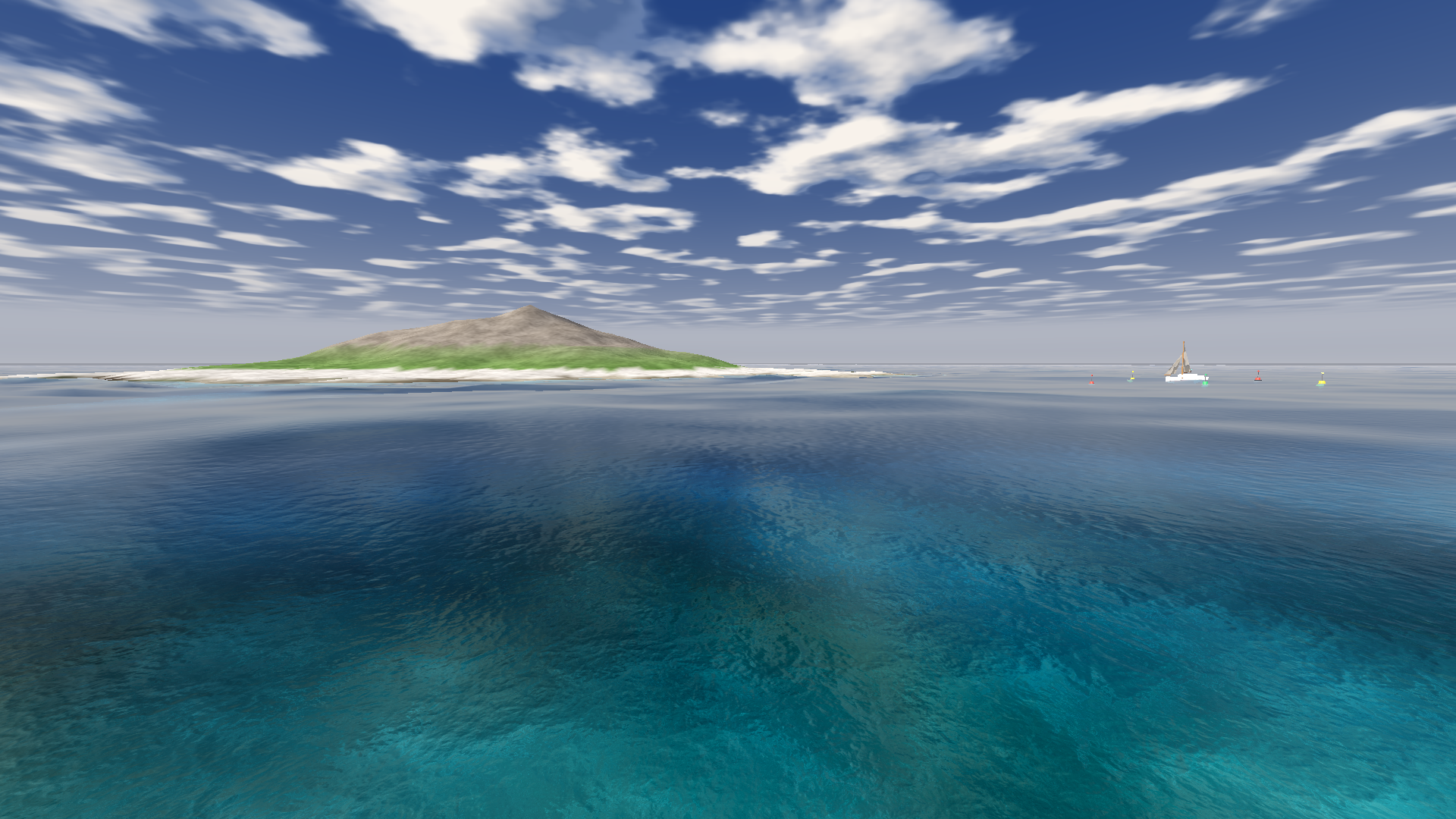
Most Unity water is a surface: waves, a fresnel, a colour. Tidewater models the water column — how far a view ray travels through water before it hits something, and what that does to the light coming back. Turquoise shallows, a visible seabed, a shoreline that dissolves instead of cutting: all of it falls out of that one idea, and none of it is a painted gradient.
The demo above is the thing you are buying, exported to the browser. Fly with WASD, F to follow the galleon, U to dive, T to switch the depth path off and back on, S for heavy weather, [ and ] to move the sun.
| Engine | Unity 6 (6000.0 LTS) — built and tested on 6000.0.76f1 |
| Pipeline | Universal Render Pipeline only — not Built-in, not HDRP |
| Ships to | Windows, macOS, Linux, Android, iOS — and WebGL |
| Needs | No compute shaders, no HDRP, no third-party packages |
| You get | The runtime package, the demo project, and every model and texture in it |
| Licence | Unlimited commercial projects, no royalty, no attribution |
The demo's assets come with it, under the same licence — the galleon, the orca, a twelve-piece reef kit, the buoys and four seamless foam sheets. Enough to have something on the water on day one.
🌐 It runs where your game runs — no compute shaders
The fast way to do an ocean is a compute shader running an FFT. It looks superb, and it costs you WebGL, older GPUs and every phone that is not current. Tidewater is built the other way round: no compute, one shader, so the same water runs on a desktop build and in a browser tab.
That is why there is a playable demo at the top of this page instead of a video. It is a WebGL build of the demo scene that ships in the package — the same shader, the same wave field, the same buoyancy.
The screen effects — the filmic tonemap and glow, and the underwater pass — are URP Renderer Features, added to your renderer asset by the setup menu. They are ordinary URP passes and you can reorder or remove them.
💧 What the depth buffer buys — six things you see
| You see | Because |
| Turquoise shallows grading to deep blue | Red light is absorbed about ten times faster than blue, so the hue shifts with depth on its own |
| Sand, reef and hulls below the waterline | The surface composites what is actually behind it, out of URP's opaque texture |
| Shorelines that dissolve instead of cutting | At zero depth the water resolves to exactly the beach behind it — there is no seam to hide |
| Caustics on the seabed | Projected in world space at the point the ray lands, fading out with depth |
| A crisp waterline on hulls, pilings and rocks | Contact foam measured from the depth buffer, not from a hand-placed shoreline |
| Detail that softens with depth, not just colour | Refraction blurs per metre of water, the way scattering really behaves |
🌊 Waves, and a coast to break on — nine features
The sea itself
- A wave spectrum, not a sine wave. Twelve Gerstner components, each travelling at the speed its wavelength demands, fanned across 150°. The steepness budget is shared across the spectrum, so the surface cannot fold through itself at any sea state.
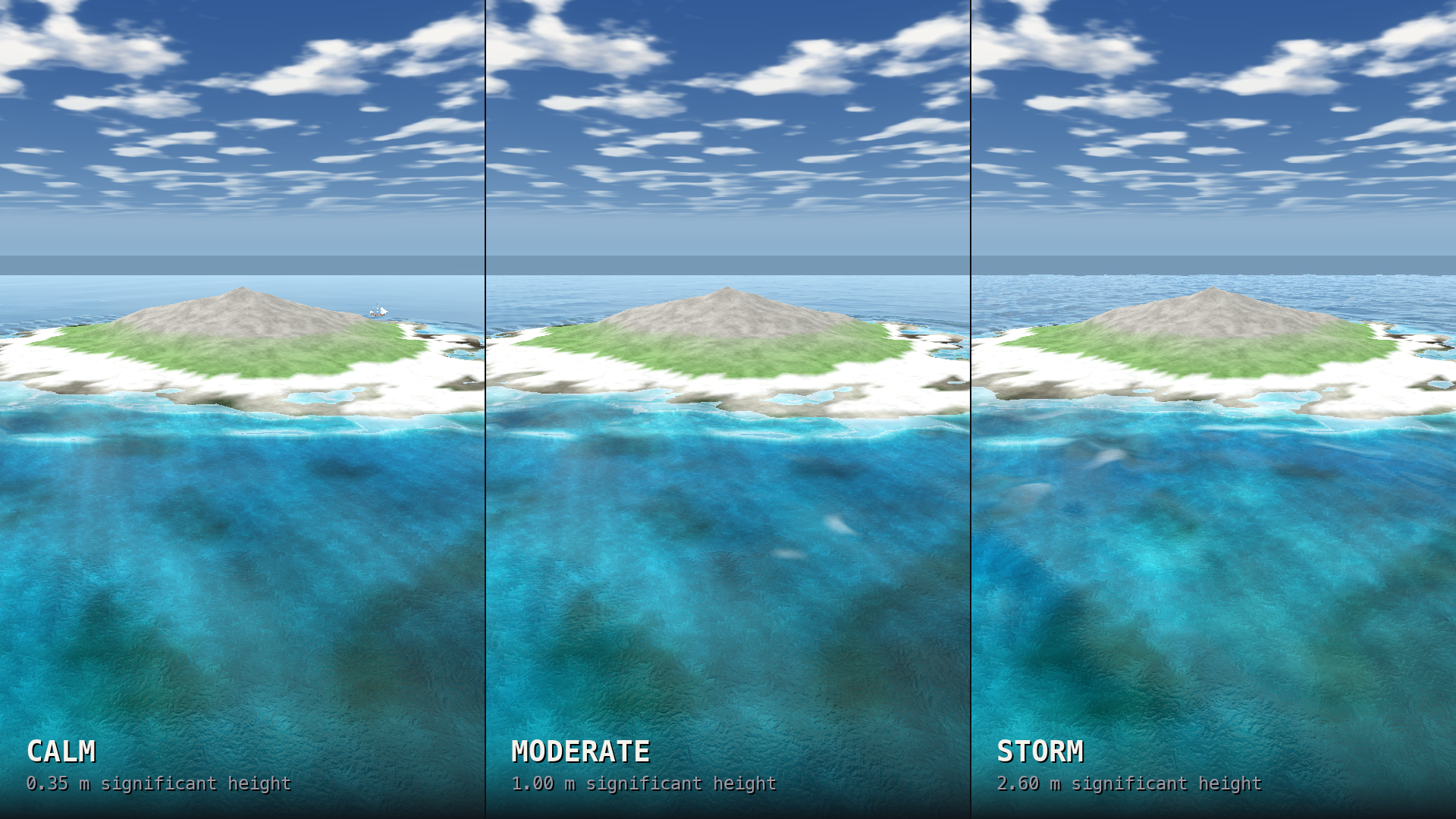
- A sea state that means something. waveHeight is significant wave height, the measure forecasts use; fetch is how far the wind has blown. Sea states are ScriptableObjects, so they are assets you can author, swap and tween.
Where it meets the land
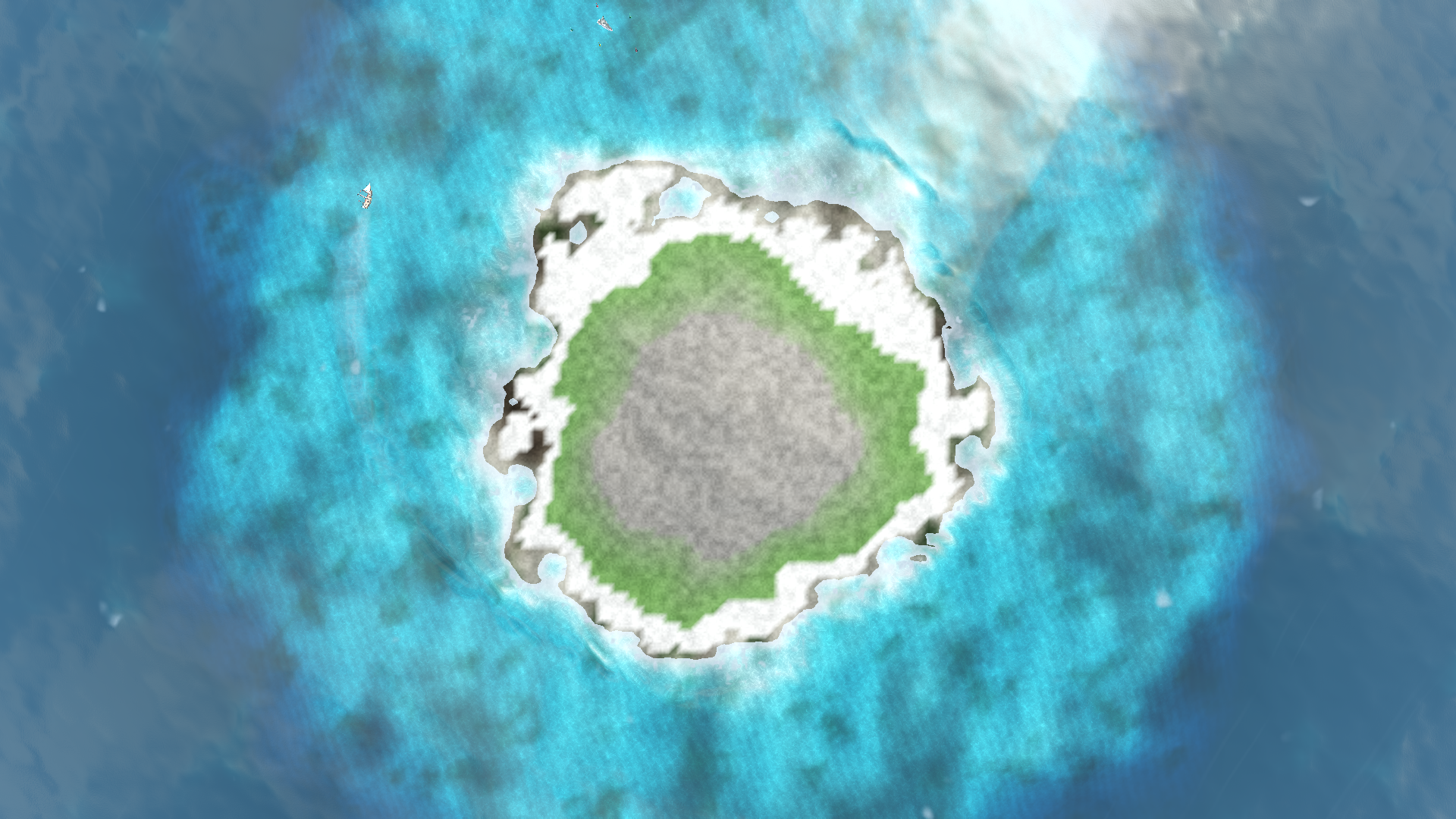
- Shoaling and surf. Hand the ocean a depth map and waves grow as they feel the bottom, then break where they can no longer stand. The surf is a band at the break line, with a breaker train that wraps headlands on its own.
- Foam that outlives the crest that made it. An optional field remembers where the sea broke, so foam is born on the compressing face of a wave, carried over the crest, and left flattening in the trough behind.
Things on it, and under it
- Wakes that part the water. A tracked body leaves a Kelvin wake with real vertical displacement, not a foam decal.
- Buoyancy that matches the picture. The same wave field on the CPU, and a four-probe component reading the hull's own footprint — so a long hull leans less than a short one on the same swell.
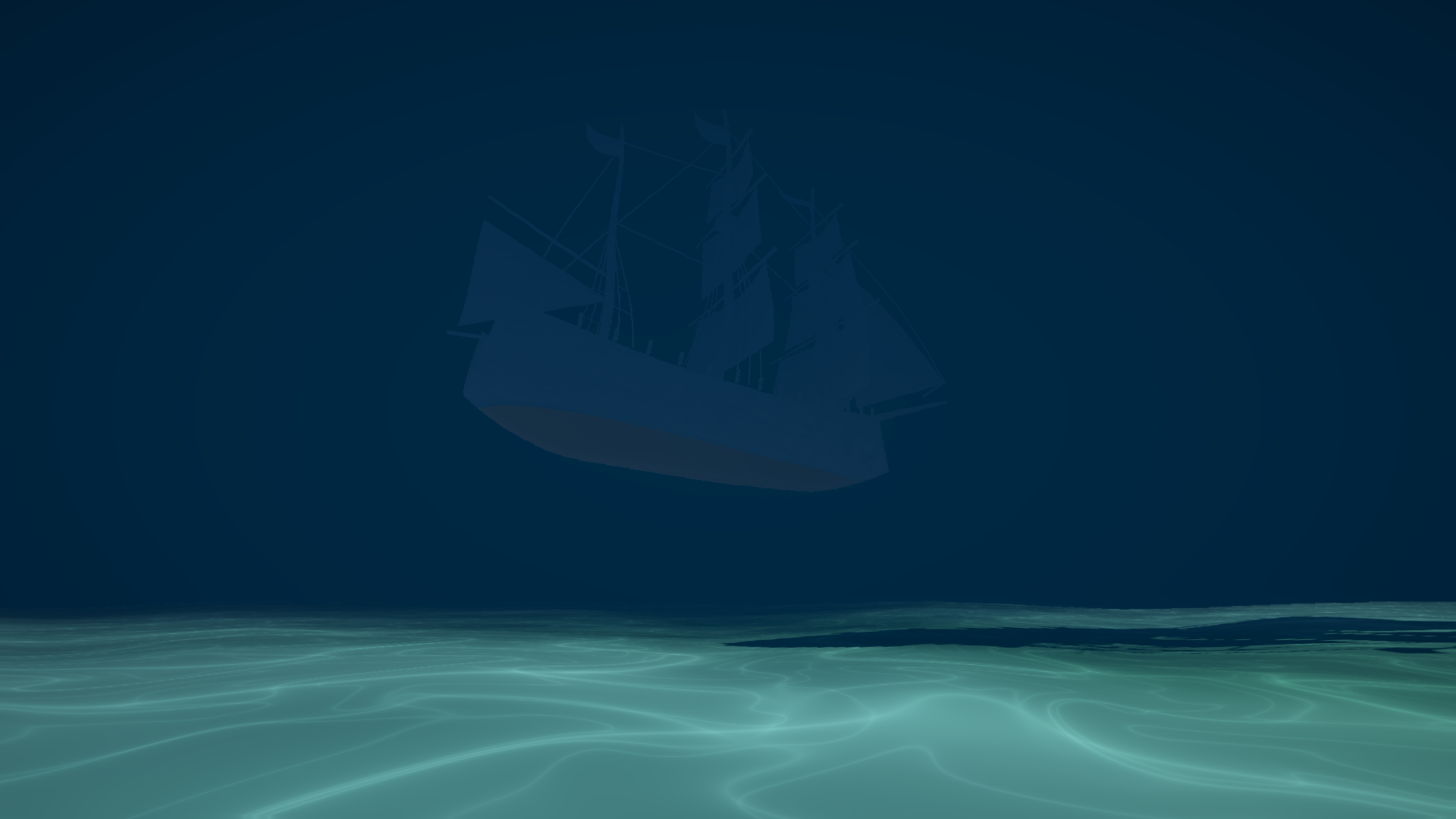
- Underwater that is a place, not a tint. A fogged ceiling, exponential depth fog that puts the far water out of reach while the near water stays clear, and a screen pass that bends the frame and beads the lens as you surface.
- A sea that follows the camera. Point follow at your camera and the surface slides under the waves to stay beneath it. Sail in one direction for an hour; the water is still there.
- Four quality tiers, none of which change the wave geometry — so buoyancy and gameplay never depend on a graphics setting.
📦 The models and textures in the box — all of them yours
The demo is not a turntable and its contents are not locked to it. Everything in the scene was built for this pack and ships under the same licence, so you can put a boat on your water the day you buy it.
| Galleon | 8,484 tris, 11 flat-colour materials. Origin on the waterline, so it floats where you put it |
| Orca | 105,210 tris, four materials. Swims on the wave field and cannot be flown out of the sea |
| Reef kit | 12 props — kelp, staghorn, brain, table and fan corals, barrel sponge, anemone, seagrass, three rocks — one object per prop, origins at the base |
| Foam sheets | Four seamless 1024² grayscale sheets. White is foam, so a photograph of the real thing drops straight in |
| Built in code | The sloop, the buoys, the island and seabed, and the sky with its cloud deck — parameters rather than meshes, so they are yours to reshape |
Textures import as sprites or as plain textures without you touching the inspector: the runtime builds what it needs from the texture itself, so a fresh import cannot leave the pack rendering blank.
⚡ Thirty seconds to water — three lines of C#
var ocean = new GameObject("Ocean").AddComponent<TidewaterOcean>();
ocean.spectrum = TidewaterSpectrum.Moderate();
Then ask it about the sea, anywhere, at any time — this is the same surface that is being drawn, not an approximation of it:
float y = ocean.HeightAt(new Vector2(boat.position.x, boat.position.z));
Float something on it:
var buoyancy = boat.AddComponent<TidewaterBuoyancy>();
buoyancy.hullSize = new Vector2(3.6f, 12.0f); // beam, length
Also SurfaceAt() (height and both slopes at once), NormalAt(),
PinchAt() for where the sea is roughest, and IsUnderwater(), which
tests the live surface so a passing crest counts. The clock is assignable, so networked clients
can run off one authoritative time.
🎮 The demo is a worked example — and what is in it
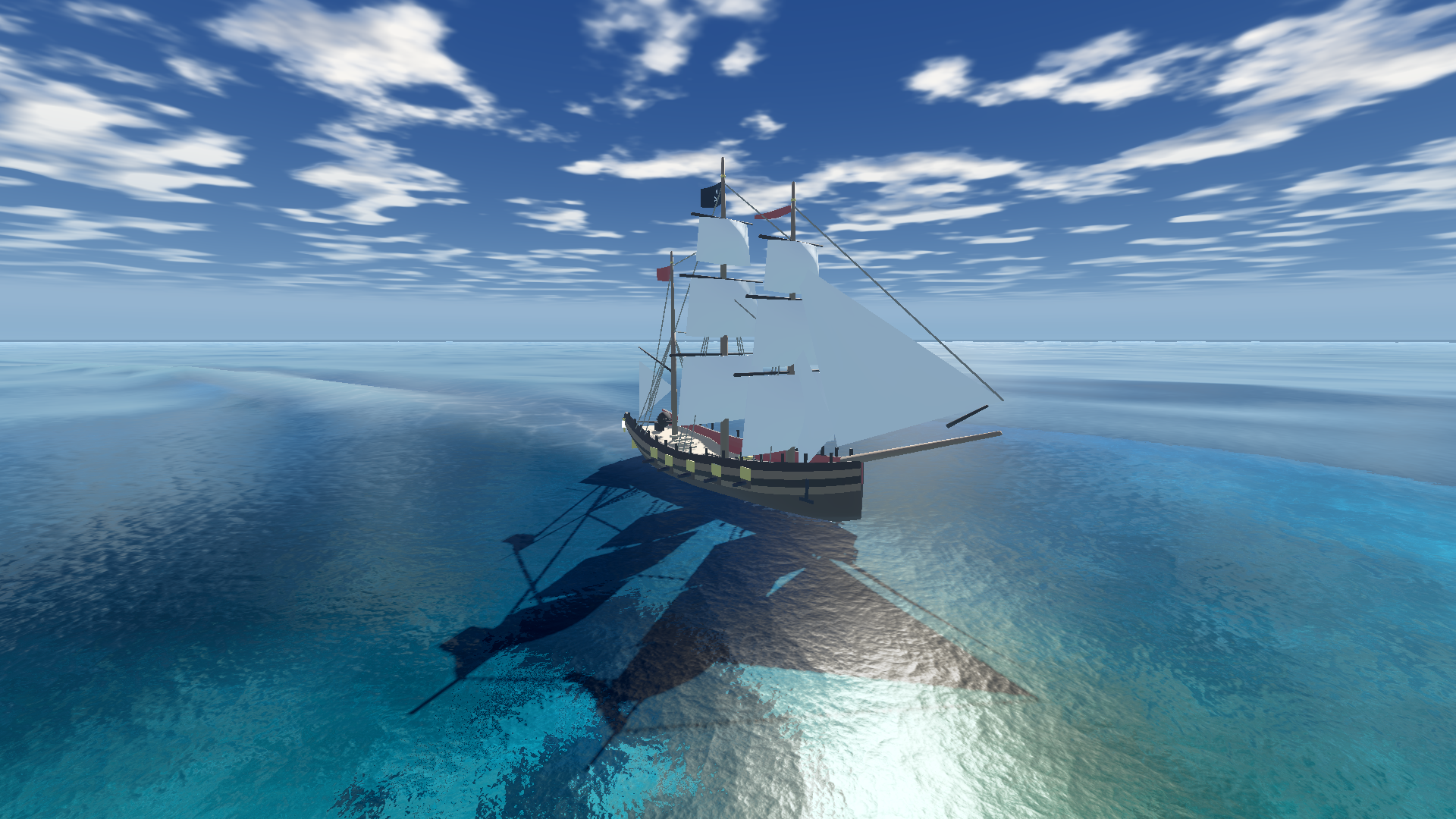
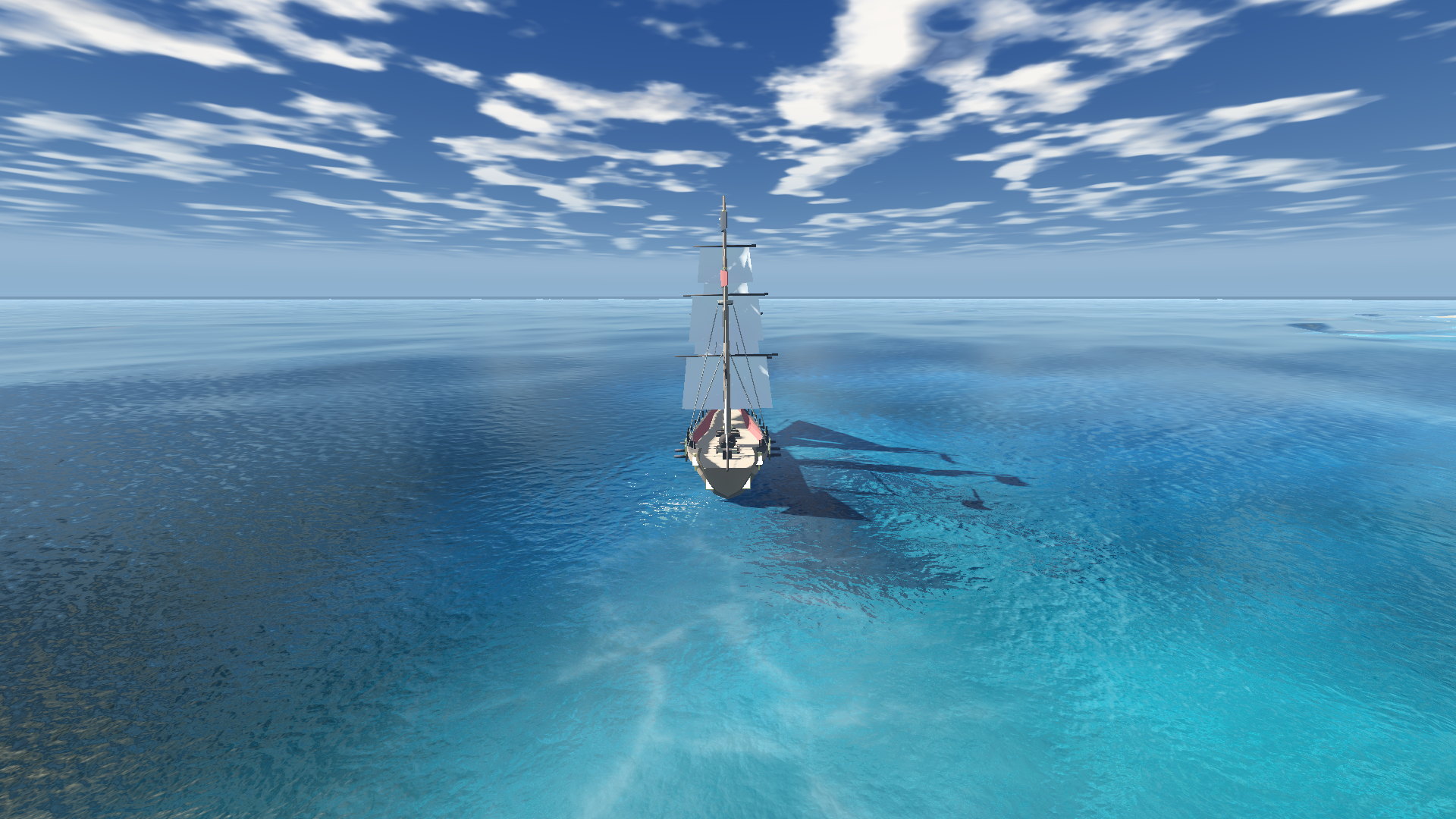
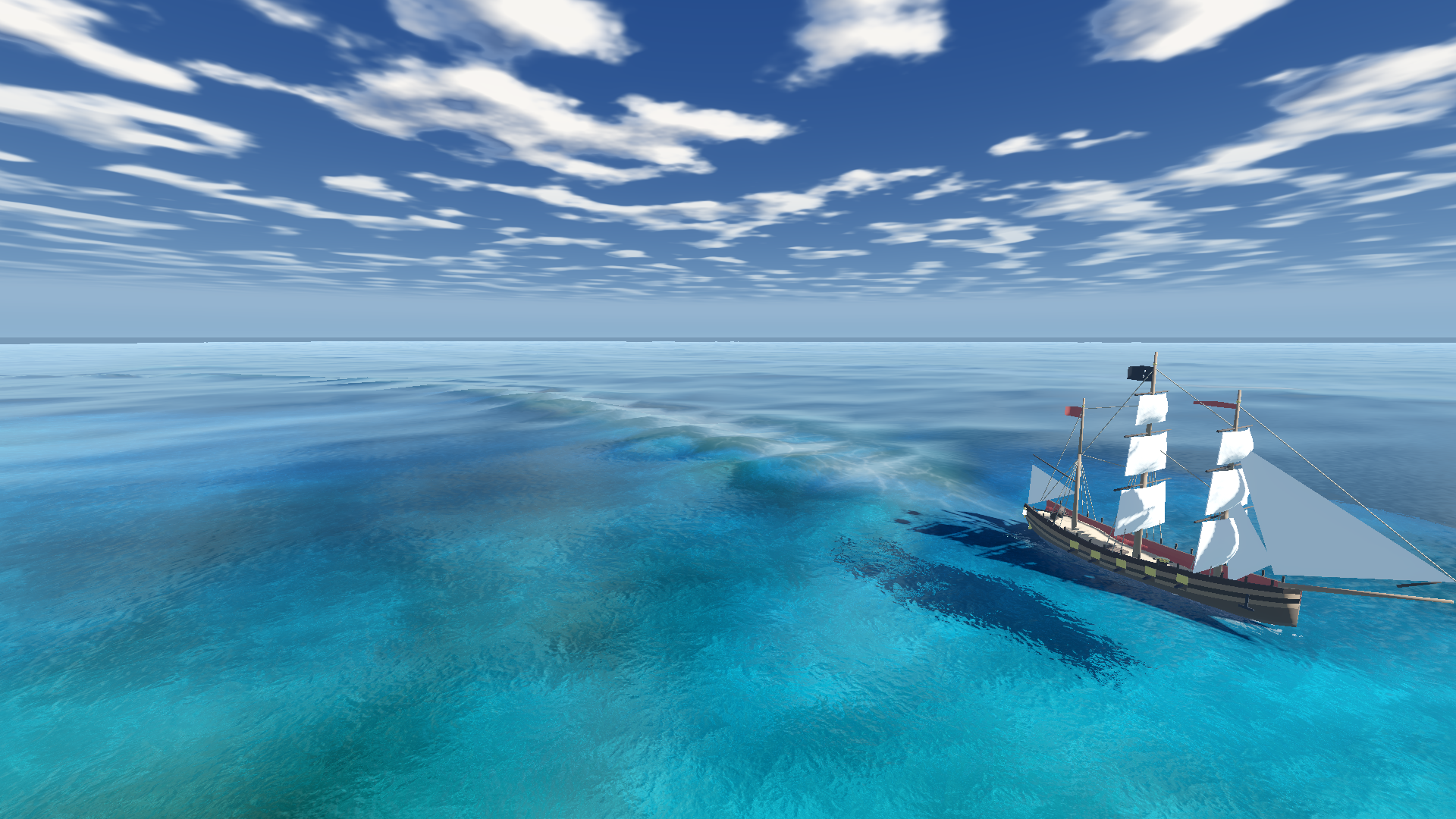
- A galleon under sail, floating on the four-probe buoyancy component and leaving a wake you can see. Her rig is trimmed to the same wind that drives the spectrum, so the sails fill on the correct side as she comes round. An anchored sloop lies nearby.
- An orca you can pilot. Press P and WASD steers the animal instead of the camera. You can dive it and breach it.
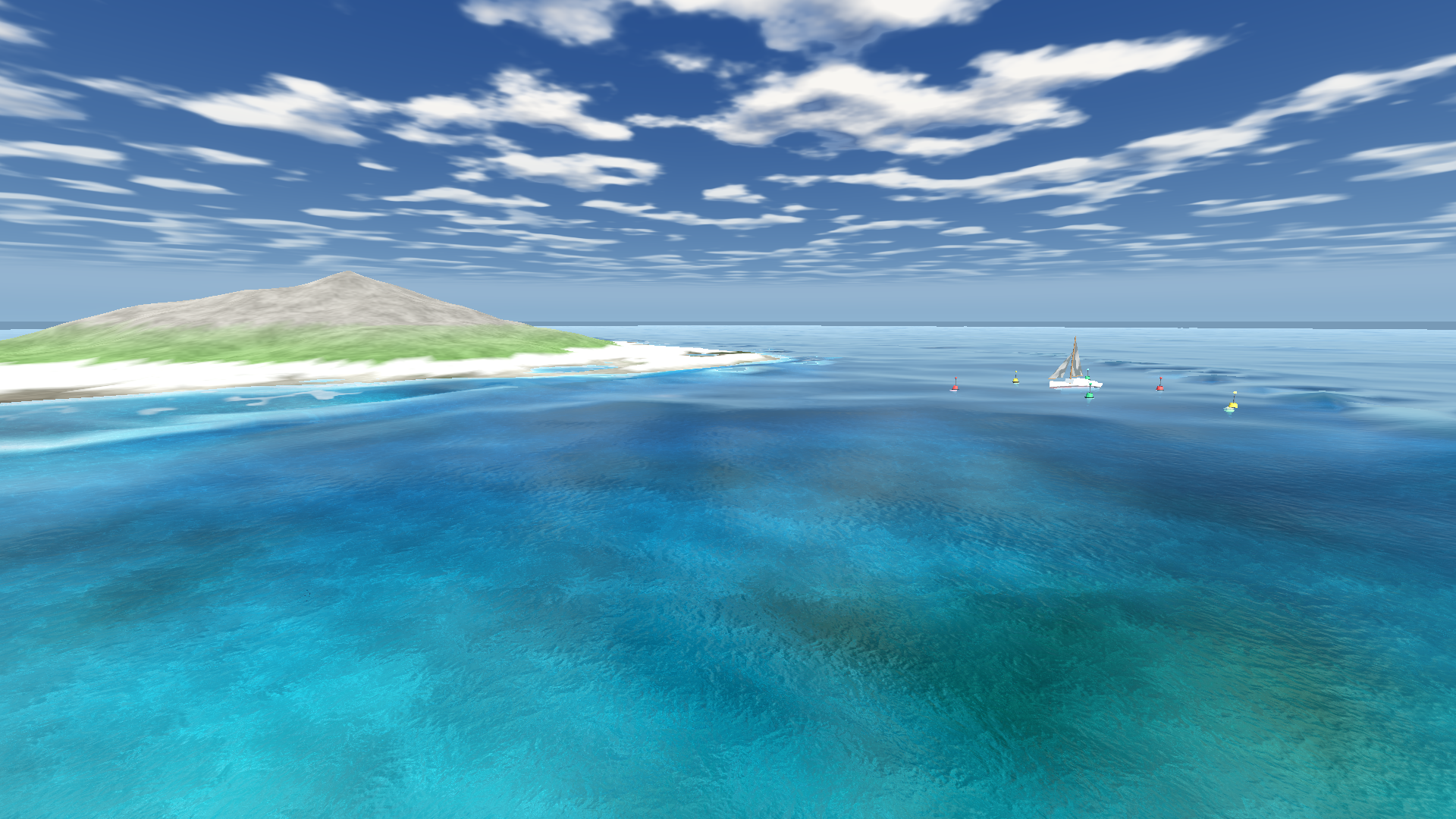
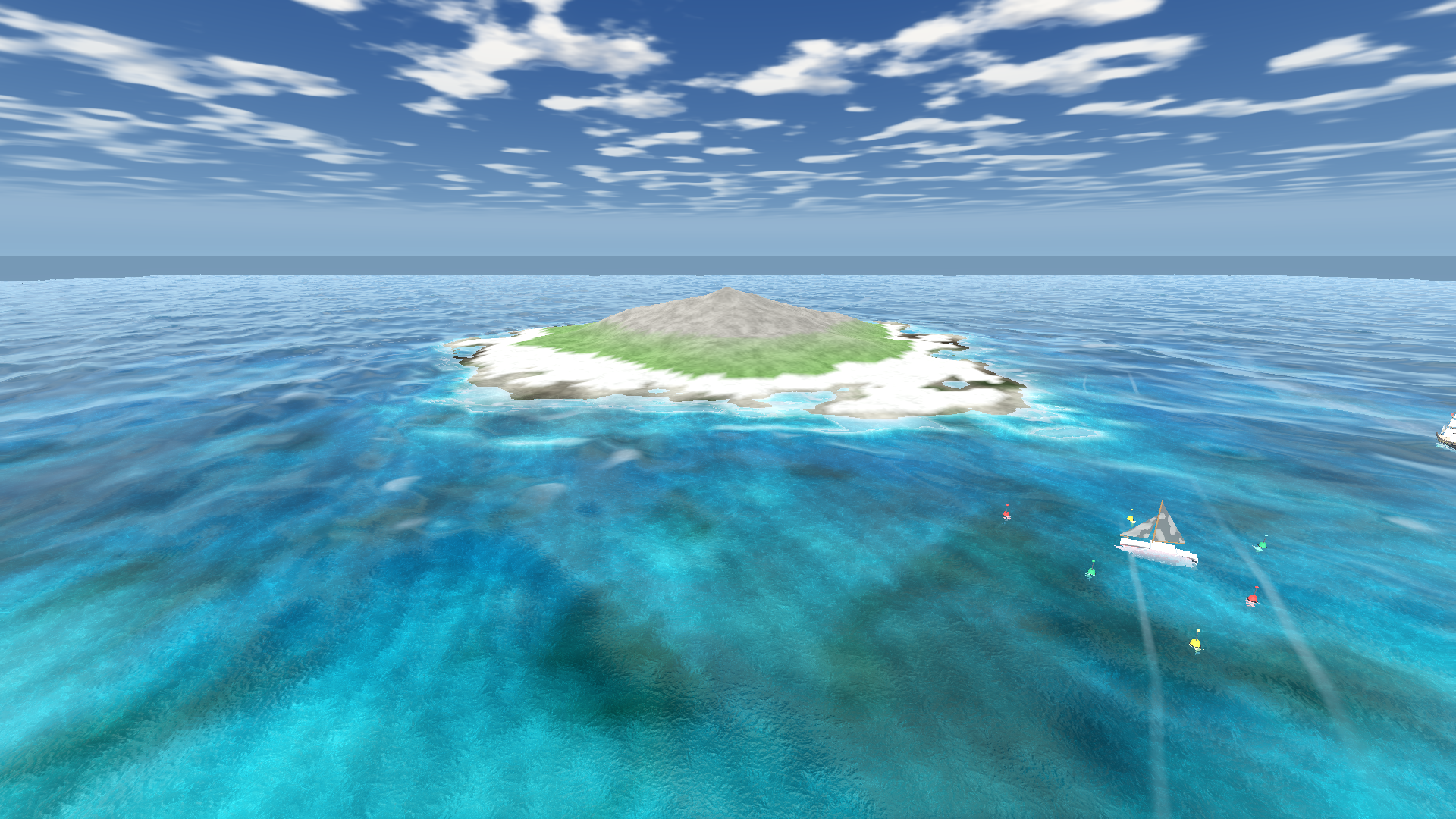
- A reef, a seabed and a shoreline to see through, so absorption, caustics, contact foam and the surf line all have something to act on.
- A full daylight cycle on [ and ], sky and water together.
- A control panel with sea state, time of day, the depth path and the underwater view on one click each, so you can find the sea you want before writing a line of code. H hides and restores it.
The scene is generated by an editor menu entry, top to bottom in one file, so the integration is something you read rather than click through. Nothing it needs is read from outside your project.
⚠️ What it is not, and what it costs — the edges
What it is not
- It is URP only. It does not run on the Built-in pipeline or HDRP, and porting it to either is not a setting.
- It is not an FFT ocean. No compute shaders, by choice — that is the constraint that lets it ship to WebGL and to a decade-old GPU.
- Buoyancy is a four-probe plane fit on a hull footprint, not a fluid simulation. It floats boats, buoys and crates convincingly; it will not model a capsize.
- Shoaling and surf need a depth map of your coast. One call bakes it from any height function, but water with no bottom described to it stays open ocean.
- Underwater fog is screen-space, not volumetric. There are no god-rays below the surface; the Godot edition's Forward+ path has those and this one does not.
- The wake and foam buffers are fixed squares of world, sized by you. They do not scroll with the camera; the surface itself does.
What it costs
Transparency costs the opaque texture plus depth samples per water pixel
— the most expensive thing here, and off at the Low tier, which still gets waves, foam,
wakes and buoyancy. quadSize is the main dial, and the ocean warns when the mesh
is too coarse for the sea state you asked for.
📥 What you download, and the licence — two zips
The downloads
| tidewater-unity.zip | The whole Unity 6 project — runtime, demo scene, models, documentation — with Tidewater.unitypackage inside it |
| tidewater-unity-package.zip | The drop-in .unitypackage on its own, for adding the ocean to a project you already have |
Install is an import and one menu entry. Every public class is prefixed
Tidewater and lives in its own assembly definition, so nothing collides with what
you already have.
The licence
Use it in an unlimited number of projects, commercial or personal, and sell them: no revenue cap, no royalty, no attribution required. Modify anything, ship it on any platform, web included. The licence covers the project rather than the seat.
The one thing you can't do is resell Tidewater itself — as a package,
an asset, a shader pack or a code sample. Ship it in your game; don't ship it as
your product. Full terms in LICENSE.txt, in plain language, the same licence every
pack from this studio carries.
Also available for other engines — the same ocean, ported and tuned against this one frame for frame:
- Tidewater for Godot 4 — Compatibility, Forward+ and Mobile, with volumetric underwater light shafts.
Purchase
In order to download this asset pack you must purchase it at or above the minimum price of $9.99 USD. You will get access to the following files:
Leave a comment
Log in with itch.io to leave a comment.